
Master Entry Sheet data spreadsheet
Speed-Quote can import Master Entry Sheet data in it's specific XML format. XML is a text file that is formatted a specific way. It is usually generated by a computer from a database. It can be written by a person, but even a small amount of data can get complex and hard to error check.
We have created a spreadsheet that contains much of the Master Entry Sheet fields. The spreadsheet contains a macro that will take the information in the spreadsheet and convert it into the XML format that Speed-Quote can read. This way a person can add the information into the spreadsheet, run the macro and load the XML file into Speed-Quote. We have created 2 Microsoft Excel files for this purpose. The both accomplish the same thing, but one is used in Excel (Office) 2007 or later and the other is used in Excel (Office) 2003 or earlier. Please download the appropriate file for your version of Office.
Instructions
- Open the Excel file and fill in as much data as possible. The only column that must be filled is Column A (“ModelNumber”). The fields are directly related to the fields on the Master Entry Sheet in Speed-Quote.
- When the excel is filled, select the rows of data you want to export by clicking/shift-clicking on the row numbers and then run the “ExportToSpeedQuote” macro. How you access the macro will depend on which version of excel you are running. Please check the Excel help system for more instructions.

- You will be asked what you would like the database to be called in Speed-Quote.
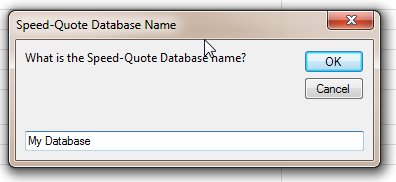
- Select a place to save the XML file on your computer and the file will be exported. If you have problems please contact SpeedQuote Tech Support email
- To import the XML file please see our online help at:

